Your automation configuration
Last updated: August 18, 2026
You can view your automation configuration by navigating to the Configure section of the practice portal (https://practices.gpautomate.com/). Find the 'Configure' section in the left hand portal menu.
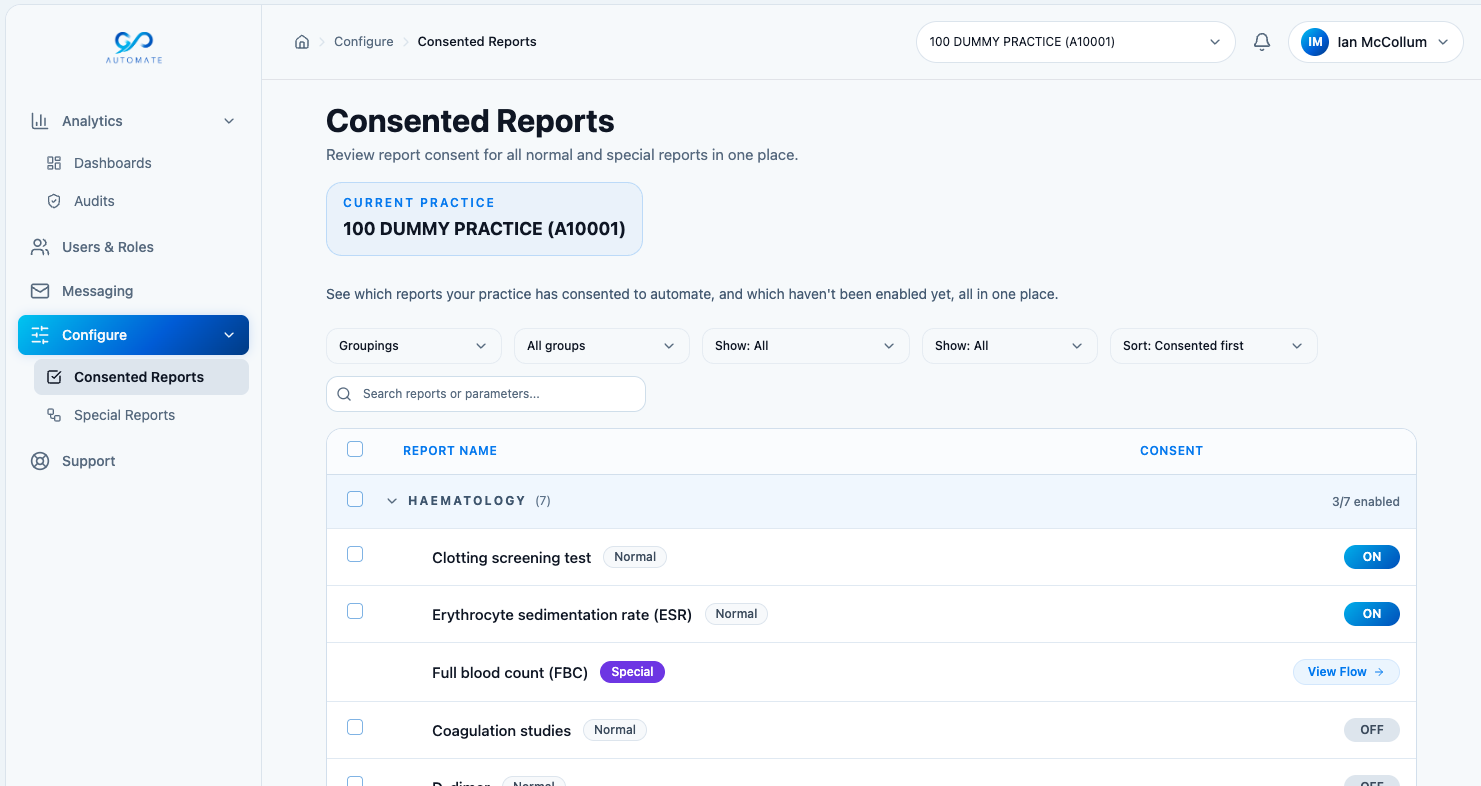
Consented reports
In this section, you can see which reports your practice has consented to automate, and which reports haven't been enabled yet. This feature is currently read-only.
We'll be rolling out full functionality in the coming months, so you'll be able to switch reports on and off at the touch of a button.
Some reports have a 'Special' designation. These are our most clinically significant workflows. They have specific automation criteria reflecting the clinical complexity associated with each pathway. You can read more about those in the 'Special reports' section below.
Special reports
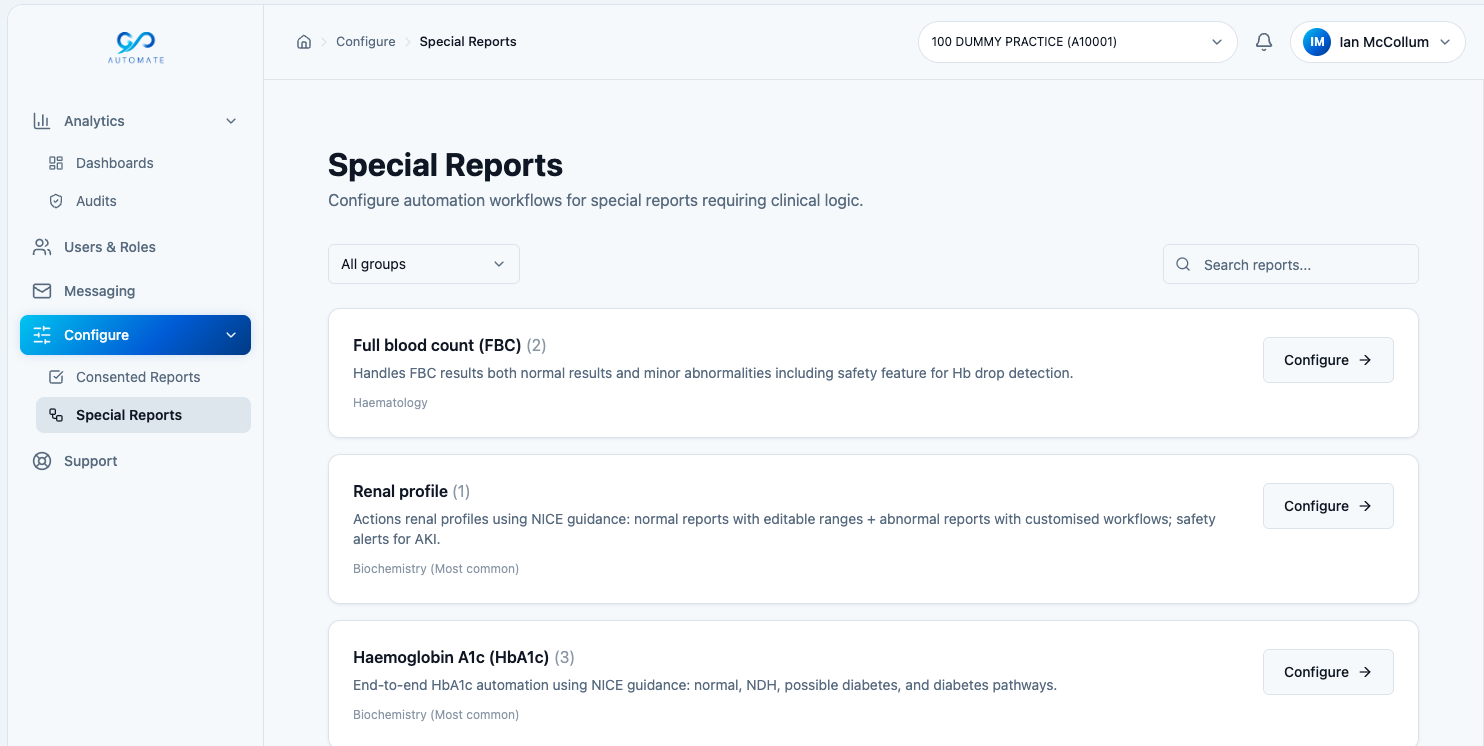
In this section, you can view the underlying automation logic associated with our most clinically significant pathways, such as HbA1c, Cholesterol, Full Blood Count, and more.
Each of these clinical pathways requires detailed clinical logic to ensure that decisions are made accurately and safely for your patients. These configurations are currently for information only. The configuration settings represent our default clinical settings.
⚠ Please note (as of 18 August 2026): these default settings may differ from your practice's actual configuration as you may have requested changes to your configuration during your subscription.
Rest assured that any configuration requests made and actioned by our team with confirmation will be reflected in your practice's Special reports workflows.
In each workflow, you'll see:
Automation rules - this is how the automation makes clinical decisions on your behalf. You'll see which parameters are reviewed and the exclusion criteria.
Outcomes and messaging - this feature is coming soon. It will enable you to see what outcome and SMS/email message is associated with each automation workflow. In time, you'll be able to customise your outcomes and messages according to your practice's needs.
Ranges - this feature is also coming soon. It will enable you to see the reference range associated with a specific parameter in a lab report. This will be especially useful where ranges can be safely modified according to your clinical judgement (e.g. for Full Blood Count parameters for specific minor abnormalities). Modifications to ranges will be coming soon.
These configuration features will continue to develop over the coming months. If you have any questions or feedback, please email support@gpautomate.com.